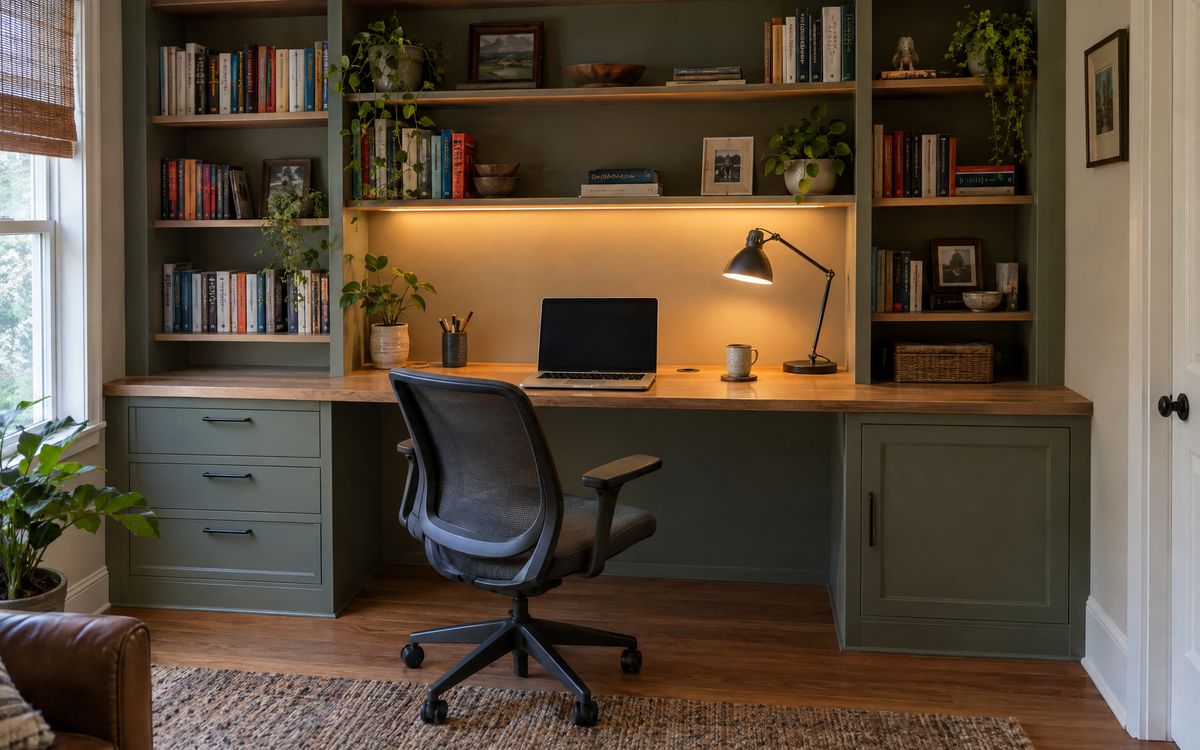
A home office is now also a video studio. Built-ins can make calls look better and keep cables out of sight.
01Light from the front
Face a window or put a soft light in front of you, slightly above eye level. A window behind you puts your face in shadow.
02Avoid overhead glare
Ceiling lights alone cast shadows under the eyes. Add a warm shelf light or a lamp for softer fill.
03The background
Open shelves with a few books and objects look better on camera than a blank wall or a busy one. Keep the shelf behind you calm and lit.
04Camera height
Raise the laptop or monitor so the camera is at eye level. A monitor arm or a raised shelf section in the desk helps.
05Cable management built in
- A grommet in the desk top for laptop and monitor cables. - A cable tray under the desk. - A hidden power strip. - Outlets in a recessed strip above the desk for phones.
06Sound
A rug and fabric reduce echo. Bookshelves full of books are good sound diffusers.
Plan lighting and cables in the Home Office Worx designer, read bedroom office ideas, or book a free design visit.